
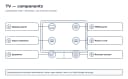
Quick answer: Choose OLED for pixel-level blacks, wide viewing angles, and premium dark-room movies. Choose QLED or mini-LED LCD for high brightness, bright rooms, and lower concern about long static graphics. Choose a standard LED LCD when value matters most. Processing, reflections, ports, and model quality can outweigh the display label.
Before you start
| Item | What to know |
|---|---|
| Tools | Room measurements, seating plan, list of sources, tape measure, current prices from retailers |
| Time | 30–90 minutes of comparison |
| Difficulty | Easy |
| Safety boundary | Measure furniture and delivery paths before purchase. Large panels require enough helpers or professional mounting. Never use incorrect wall anchors or screws. |
Key takeaway: Tools: what to know — Room measurements, seating plan, list of sources, tape measure, current prices from retailers.
Record the exact model number, current input, indicator-light behavior, and whether the symptom affects the TV's own home screen. Take phone photos of settings before changing them. Work with dry hands in a dry area, provide stable footing, and ask for help before moving a large screen.
Stop-use warning: Stop for a burning smell, smoke, unusual heat, arcing, repeated breaker trips, or water near electricity. Do not keep resetting a breaker or step into water to reach a plug. There is no live mains testing, gas valve work, sealed refrigeration work, internal TV capacitor repair, or safety bypass in this guide.
Manufacturer verification note: Menus, reset steps, port capabilities, indicator patterns, and update methods vary by exact model and software. Confirm model-specific instructions in the owner's manual or on the manufacturer's official support site. Do not use hidden service menus.
Causes ranked by likelihood
The order below starts with conditions that are common and safe to isolate. It is not a diagnosis probability for every model. Physical damage or an electrical warning sign always takes priority over the ranking.
| Cause | How to check | Fix | Difficulty |
|---|---|---|---|
| Room brightness and reflections | Observe the room at the hours you watch most | Prioritize sustained brightness and reflection handling | Easy |
| Black level and dark-scene viewing | Consider movies, subtitles, and viewing at night | Favor OLED for pixel blacks or good full-array LCD for value | Easy |
| Static content and usage pattern | Estimate hours of news tickers, game HUDs, menus, or signage | Use mixed content and built-in protection; choose LCD for extreme static use | Easy |
| Motion, gaming, and response | List console resolution, frame rate, VRR, and port needs | Match native refresh and HDMI features, not marketing rate | Moderate |
| Viewing angle and seating | Stand or sit at the farthest side seat | Favor OLED or an LCD panel with good off-axis behavior | Easy |
| Budget, size, and ownership cost | Compare complete size-matched models and warranties | Buy the best-balanced model, not the strongest badge | Easy |
Key takeaway: Room brightness and reflections: how to check — Observe the room at the hours you watch most.
1. Room brightness and reflections
Why it happens
A display does not control the windows, lamps, or light-colored walls reflected in it. OLED's black level is most visible in controlled light, while a strong mini-LED LCD can maintain impact in daylight. Glossy and matte treatments trade crisp reflections for diffuse haze.
How to check and fix it safely
Map windows relative to the screen and avoid placing a bright lamp directly opposite it. Compare models with similar content outside exaggerated store mode. Reflection handling varies by model, not just OLED or QLED. Curtains and thoughtful placement can improve any television more cheaply than moving to the brightest tier.
After the test, return any unrelated setting to its original value. If the symptom does not change, move to the next cause rather than repeating the same power cycle. A negative result is useful because it narrows the path without exposing internal components.
2. Black level and dark-scene viewing
Why it happens
OLED turns individual pixels off, so a star field can place bright points beside black. LCD must illuminate zones behind many pixels, causing halos around subtitles or highlights. Better algorithms and more zones reduce but do not eliminate this physical difference.
How to check and fix it safely
If dark-room films dominate, compare shadow detail as well as blackness; poor processing can crush near-black texture. If subtitles are frequent, inspect haloing on the actual model. A bias light behind an LCD can reduce perceived strain and make black level appear stronger without changing the panel.
After the test, return any unrelated setting to its original value. If the symptom does not change, move to the next cause rather than repeating the same power cycle. A negative result is useful because it narrows the path without exposing internal components.
3. Static content and usage pattern
Why it happens
OLED emitters age with cumulative output. Highly repetitive bright graphics can age areas differently, leaving persistent unevenness. Modern mitigation helps, and normal mixed household viewing is not the same as commercial signage, but the possibility is real.
How to check and fix it safely
Leave pixel shift, logo adjustment, and automatic compensation enabled. Avoid pausing bright static frames for hours and do not disconnect mains immediately after each OLED shutdown if maintenance runs in standby. For a display used all day as a desktop or fixed scoreboard, a suitable LCD may be the more comfortable choice.
After the test, return any unrelated setting to its original value. If the symptom does not change, move to the next cause rather than repeating the same power cycle. A negative result is useful because it narrows the path without exposing internal components.
4. Motion, gaming, and response
Why it happens
OLED pixels respond quickly, producing clear transitions but sometimes revealing low-frame-rate judder. LCD response varies and can smear dark transitions. Gaming performance also depends on input lag, VRR range, tone mapping, and whether enough HDMI ports support full bandwidth.
How to check and fix it safely
Verify true native 120 Hz where desired and count capable inputs after reserving eARC. Check 4K 120, VRR, and HDR compatibility for the actual console or PC. Game mode reduces latency but may alter local dimming or image processing. Reviews with measurements help because display-type names do not guarantee low lag.
After the test, return any unrelated setting to its original value. If the symptom does not change, move to the next cause rather than repeating the same power cycle. A negative result is useful because it narrows the path without exposing internal components.
5. Viewing angle and seating
Why it happens
OLED typically maintains contrast and color well off center. LCD panel designs trade contrast for angle in different ways, and added optical layers can help premium models. A narrow living room may not need the advantage.
How to check and fix it safely
Draw the seating arc and compare from each real angle, not the store's center mark. Articulating mounts can help but must remain properly rated and secured. If most viewers sit directly ahead, prioritize other traits. If family seats spread widely, off-axis performance can matter every day.
After the test, return any unrelated setting to its original value. If the symptom does not change, move to the next cause rather than repeating the same power cycle. A negative result is useful because it narrows the path without exposing internal components.
6. Budget, size, and ownership cost
Why it happens
Standard LED LCD dominates lower prices and unusual sizes. OLED and advanced mini-LED become more competitive during model transitions. Energy use, extended coverage, mount changes, and an external streamer affect total cost.
How to check and fix it safely
Set a budget including tax, delivery, mount, sound, and recycling. Compare the same screen size and feature level. A smaller premium set may not be better if seating is far away, while an oversized low-quality panel may expose artifacts. Costs are approximate US estimates, not sourced price quotes, and promotions change quickly.
After the test, return any unrelated setting to its original value. If the symptom does not change, move to the next cause rather than repeating the same power cycle. A negative result is useful because it narrows the path without exposing internal components.
Brand-specific notes
LG, Samsung, Sony, TCL, Hisense, and other makers sell overlapping technologies under different names. Samsung QLED is an LCD family, while Samsung and Sony also sell QD-OLED models; LG and others sell OLED variants; mini-LED branding varies. Verify the actual panel technology, native refresh, HDMI capabilities, and warranty on the exact model's official specification page.
Useful official starting points include Samsung Support, LG Support, Sony Support, TCL Support, Hisense Support, Roku Support, Amazon device help, and Vizio Support. Use the full model suffix because similar retail variants can use different panels, boards, menus, or firmware.
Codes vary by model, so confirm in your owner's manual or the manufacturer's support site. A blinking light or message is evidence to record, not permission to open the enclosure. Never install firmware intended for a merely similar model.
When to call a professional
A salesperson or calibrator can help only if advice is based on your room and model, not a blanket claim that one technology always wins. Use professional installers for uncertain wall structure or large panels. Stop if mounting reveals electrical cables, plumbing, or inadequate support. There is no reason to open a TV to identify its panel; use the model documentation.
Ask for a written estimate that separates diagnostic fee, parts, labor, taxes, transport, and warranty. Costs are approximate US estimates, not sourced price quotes; region, screen size, parts availability, and model design create large differences. Check the original warranty, retailer coverage, payment-card benefits, and CPSC recalls before approving paid work.
The safety boundary is firm: TV power boards and capacitors may remain hazardous after unplugging. There is no safe reason for a consumer to defeat a fuse, interlock, ground, thermal protection, or panel protection. NFPA electrical-safety resources support keeping unqualified people away from exposed energized work. Internal diagnosis belongs to appropriately qualified service.
Prevention tips
- Keep receipts and photograph the serial label privately for warranty records.
- Transport and store flat panels upright according to manufacturer instructions.
- Preserve built-in OLED pixel-care functions and reasonable brightness.
- Allow ventilation instead of enclosing any display tightly.
- Use return windows to evaluate reflections, uniformity, and comfort in the real room.
Also dust only the exterior and accessible vents with the TV off and cool. Do not spray liquid on the screen or into openings. Follow the manufacturer's ventilation distances, mounting limits, and cleaning instructions. Registering the product and retaining a private copy of the receipt makes future warranty and recall checks easier.
Frequently asked questions
The article's structured FAQ panel provides concise answers to the most searched questions about this problem. It is rendered from frontmatter and is not duplicated in the body.
Back to the TV Guide and related help
- Return to the complete TV Guide.
- Continue with TV Picture Settings: A Practical Setup Guide.
- Also see TV Screen Lines: Diagnose Vertical or Horizontal Lines.
- Read electronics safety basics before troubleshooting other devices.
These links keep the next test focused. If evidence points away from this symptom, switch to the matching guide rather than stacking unrelated resets or purchases.