
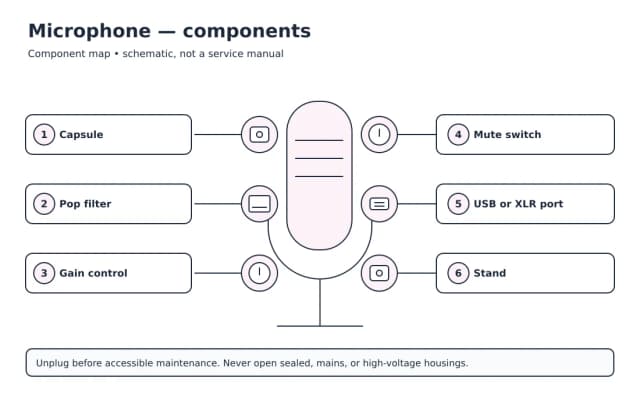
Repair Guide organizes practical help for headphones, earbuds, speakers, soundbars, AV receivers, and microphones. These products differ, but good troubleshooting follows the same discipline: describe the symptom precisely, begin with reversible checks, and stop before a test introduces more risk than value. This category overview helps you choose the right guide and build a safe plan rather than swapping parts at random.
Start with the symptom, not a suspected part
A useful diagnosis says what the product does, when it happens, and what changed. “It fails” is vague; “it powers on, loses its connection after ten minutes, and works again after cooling” gives you timing and heat clues. Note indicator lights, messages, sounds, smells, and whether the issue affects every input or only one source. Photograph connections before moving them.
The main checks in this category involve source selection, volume and mute state, pairing records, cable paths, channel settings, and gain staging. Start with the wall outlet or known power source, controls, removable cables, consumables, and visible obstructions. Change one variable at a time, then test under the same conditions. This makes the result meaningful and leaves an easy path back.
Top problems at a glance
| Symptom | Common possibilities | Sensible first check | Detailed help |
|---|---|---|---|
| One earbud is silent | Charge contact, balance, pairing, or blockage | Clean safely and reset the pair | Open guide |
| Soundbar has no sound | Input, ARC setting, cable, or TV output | Select the input and verify TV audio output | Open guide |
| Speaker distorts | Excess level, damaged driver, or poor source | Lower volume and test another source | Open guide |
| Receiver has no sound | Source, mute, speaker assignment, or protection | Use built-in test tones at low level | Open guide |
| Microphone is not detected | Permission, interface, cable, or input selection | Choose the mic in system settings | Open guide |
Key takeaway: One earbud is silent: common possibilities — Charge contact, balance, pairing, or blockage.
The likely cause depends on the exact model and conditions. A symptom table is a triage tool, not a parts diagnosis. If a basic check does not isolate the problem, look for the service information the manufacturer provides for consumers or ask a qualified technician.
A safe troubleshooting sequence
- Make the situation safe. Stop using equipment that is wet, deformed, smoking, sparking, unusually hot, or repeatedly tripping protection.
- Preserve what matters. Back up accessible data and record settings, account ownership, error text, and the exact model number.
- Check the environment. Confirm amplifier ventilation, source availability, volume, and any wireless connection the product needs.
- Inspect external connections. Look for looseness, contamination, pin damage, strain, and incompatible adapters without opening sealed enclosures.
- Restart normally. Use the documented shutdown method; let overheated equipment cool before a safe retest.
- Test one substitute. When safe, use one known-compatible cable, outlet, source, or accessory. Do not improvise power specifications.
- Check updates and settings. Record the current version first. Avoid firmware updates while power is unstable.
- Consult model documentation. Error codes and reset steps vary. Use the full model identifier, not just a product family name.
Turn amplifiers off before changing speaker wires. Avoid shorted strands and unsafe listening levels. Unplug powered equipment before cleaning or moving connections.
Choose the right guide
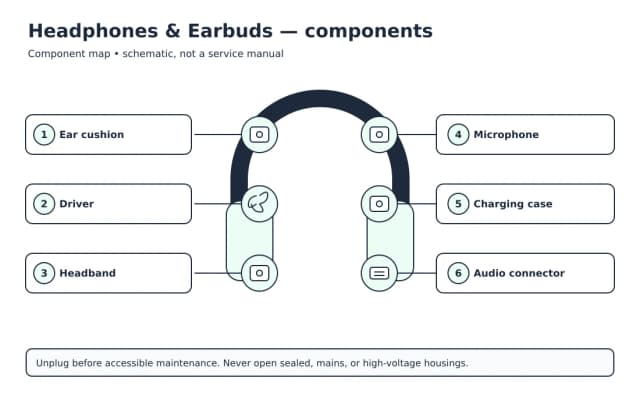
- Headphones & Earbuds Guide — symptoms, maintenance, and decision points for this device.
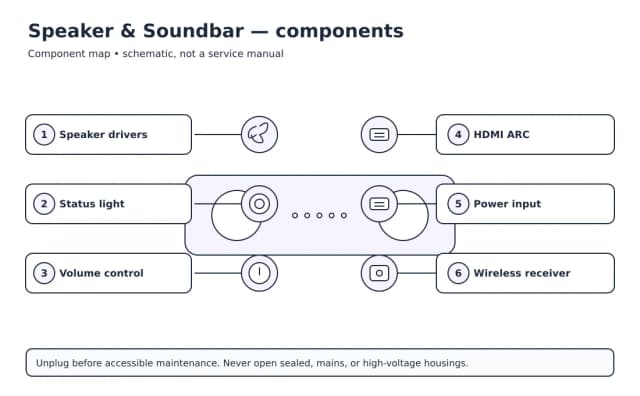
- Speaker & Soundbar Guide — symptoms, maintenance, and decision points for this device.
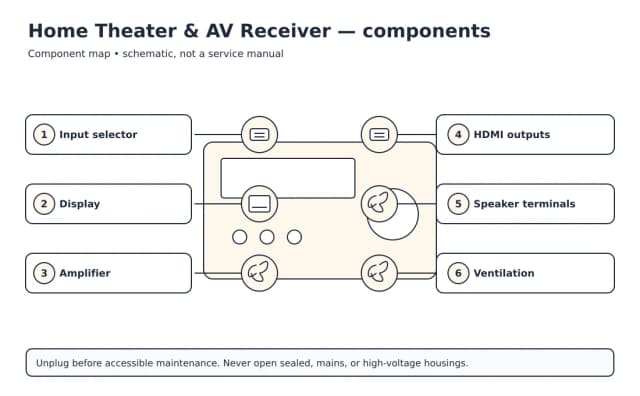
- Home Theater & AV Receiver Guide — symptoms, maintenance, and decision points for this device.
- Microphone Guide — symptoms, maintenance, and decision points for this device.
Each guide narrows the checks to the product. Follow a symptom-specific page when one matches exactly. Comparison pages explain standards and purchase decisions; repair pages focus on diagnosis. For general preparation, read electronics safety basics, how to read a model number, and repair versus replace.
Maintenance that prevents confusing faults
Maintenance should be gentle and documented. Keep air paths open, use dry or manufacturer-approved cleaning methods, avoid sharp tools in ports, and replace consumables at the stated interval. Install security and reliability updates from official sources. Check power cords and frequently moved cables for strain. For battery products, avoid prolonged high heat and follow storage-charge guidance in the manual.
Keep a small record of purchase date, model and serial number, warranty coverage, important settings, and maintenance. Store receipts separately from the device. A dated symptom note can reveal whether a fault follows an update, move, storm, spill, or accessory change.
Repair, replace, or ask for help?
Compare the product's age, condition, warranty, data value, energy use, part availability, and total repair cost. A low-cost external cable is different from an uncertain internal power fault. Replacement may make sense when safety damage is extensive or several major systems are failing. Repair may make sense when the cause is well isolated, parts and documentation are available, and the product still meets your needs.
Seek qualified service for damaged mains wiring, internal amplifier power circuits, or hot or swollen batteries. Report any liquid, impact, or electrical damage and the external checks already completed.
Build a repeatable habit
Good troubleshooting is less about a clever trick than a controlled process. Use exact observations, favor reversible tests, verify compatibility before connecting power, and make backups routine. If a change does not help, undo it before trying the next one. Those habits reduce accidental damage and make model-specific instructions far easier to follow.
Sources and further reading
- U.S. Consumer Product Safety Commission recalls
- ENERGY STAR product guidance
- EPA electronics donation and recycling
- FTC warranties and service contracts
Guide routes within Audio Devices
| Guide | Start with these focused topics | Topics |
|---|---|---|
| Headphones & Earbuds Guide | One Earbud Not Working: Balance, Fit, and Sync; Bluetooth Headphones Not Connecting: Pairing Reset | 4 linked topics |
| Speaker & Soundbar Guide | Soundbar No Sound: Input, ARC, and Format Checks; Bluetooth Speaker Not Pairing: Clear the Connection | 4 linked topics |
| Home Theater & AV Receiver Guide | AV Receiver No Sound: Follow the Signal Path; Surround Sound Setup: Placement and Calibration | 3 linked topics |
| Microphone Guide | Microphone Not Detected: Permissions and Inputs; Microphone Background Noise: Reduce Hum and Room Sound | 2 linked topics |
Key takeaway: Headphones & Earbuds Guide: topics — 4 linked topics.
Key takeaway: Choose the audio devices guide for the exact device before following a symptom page.
Useful observations for audio devices support
| Device group | Record before seeking help |
|---|---|
| Headphones and earbuds | Record whether one or both channels are affected and which source is connected. |
| Soundbars and receivers | Record input, output, mute, and the TV audio-return port in use. |
| Microphones | Record app permission, chosen input, and whether the OS detects the microphone. |
Key takeaway: Headphones and earbuds: record before seeking help — Record whether one or both channels are affected and which source is connected.
Key takeaway: A precise audio devices symptom and model number are more useful than a guessed replacement part.