
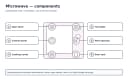
When the microwave plate does not turn, first decide whether the oven is designed to rotate it in the selected mode. Then look at the removable plate, roller ring, and the dish itself. A jam is often visible without a tool; a failed drive is not safely repairable through the cooking cavity. Never run a damaged or incomplete assembly just to see what happens.
Before you start
| Item | What to prepare |
|---|---|
| Tools | Exact model manual, flashlight, soft cloth, mild cleaner, clean drying towel |
| Time | 10–20 minutes for settings and removable parts |
| Difficulty | Easy external inspection; internal drive service is pro-only |
| Safety | Stop and cool oven; disconnect power when safe before cleaning; never remove panels |
Key takeaway: Tools: what to prepare — Exact model manual, flashlight, soft cloth, mild cleaner, clean drying towel.
A microwave high-voltage capacitor can store a lethal charge even after unplugging. The internal circuit includes the capacitor, magnetron, and transformer or inverter; unplugging does not make internal work safe. Do not open the cabinet, remove a motor access panel, test live wiring, or replace an internal part. For a drive fault, call a qualified technician or replace the unit.
If the door, hinge, latch, or seal is damaged, stop using the oven regardless of turntable condition. If water is standing near the outlet or appliance, do not touch the plug or breaker. Only perform the cleaning steps below when the area is dry and safely accessible.
Causes ranked by likelihood
| Possible cause | How to check safely | Response | Difficulty |
|---|---|---|---|
| Turntable-off option or nonrotating design | Check selected mode and owner's manual | Restore rotation if intended; follow model directions | Easy |
| Dish hits a wall or door | Look at dish size with oven off | Use a smaller approved container | Easy |
| Tray not seated on drive connection | Check removable glass plate with power off | Reseat as model diagram shows | Easy |
| Food debris binds roller ring | Look along cooled accessible roller track | Wash removable ring and wipe accessible track | Easy |
| Cracked ring, tray, or user-removable coupler | Visually inspect approved removable parts | Obtain exact model-matched replacement | Easy to moderate |
| Failed motor or concealed drive assembly | External corrections do not restore normal rotation | Qualified service or replacement | Pro only |
Key takeaway: Turntable-off option or nonrotating design: how to check safely — Check selected mode and owner's manual.
This is an order of owner-safe checks, not a universal ranking of failed parts. Different oven families use different tray systems. Some use no visible turntable at all, and a stationary cooking surface is normal for those models. Your manual, not a photo of a similar-looking oven, determines what should move.
1. Check whether rotation is enabled for this mode
Some models have a turntable-off button so a large dish can stay stationary for a specific program. Other cooking modes may use an accessory or change rotation behavior. Review the display and button labels in the exact model manual. A kitchen timer will not spin the tray because it is not a cooking cycle.
If a setting was changed, record the prior state and follow only the owner's documented steps to restore it. Do not enter a hidden service menu. If a control is unresponsive or shows a recurring error, note the complete message and seek manufacturer assistance instead of cycling power again and again.
Do not test rotation with an empty microwave. If you merely corrected a documented setting, the oven has no damage, and the manual permits operation, observe it during normal cooking with food in an approved container. Stop if it binds, grinds, sparks, or the dish touches a wall. Never put your fingers inside while the oven is operating.
2. Make sure the dish can rotate freely
A broad rectangular casserole, overhanging handle, or uneven food package may touch the side wall or door each time the plate tries to move. This can appear as a motor failure even when the tray is correctly installed. Remove the dish after the appliance stops and cools, then compare its dimensions with the model's usable turntable diameter.
Select a smaller microwave-approved vessel that stays inside the glass plate's edge. Do not remove the turntable and put the dish directly on the cavity floor unless your manual explicitly permits a specific arrangement. GE's guidance says it generally does not recommend using its turntable models without the tray and support installed.
If a food load is unusually heavy, check the manufacturer's load guidance rather than trying to push the plate by hand during a cycle. Persistent grinding or slipping is a stop signal. A damaged drive can worsen when forced under a large load.
3. Reseat the user-removable glass plate
With the oven off and cool, and safely disconnected where the manual directs, lift out the glass plate. Note its orientation and how it rests on the support ring and center drive connection. Replace it according to the diagram in the owner's manual, making sure it sits level and does not rock.
On many models the underside of the glass has raised features that engage a center coupler. Do not force a plate onto a shaft or assume a replacement ordered by diameter will engage properly. If the tray is chipped, cracked, warped, or from another appliance, get a model-matched tray. Broken glass may cut; handle it carefully and do not continue operating an oven with a compromised cooking plate.
With the power off, you may gently verify that the removable tray is not visibly trapped by a crumb or dish rim. This is not an instruction to force a seized mechanism. If you feel unusual resistance after correct seating, stop and ask the manufacturer or a qualified technician.
4. Clean the roller ring and accessible track
Sticky sauce, crumbs, or sugar can build up beneath the tray and jam one of the ring's small wheels. Remove the glass plate and then the ring only if the manual identifies them as user-removable. Wash or wipe them using the recommended products, then clean the exposed floor track with a soft cloth. Dry parts and reseat them as instructed.
Inspect the ring's wheels visually for chips or a missing wheel. A missing roller may tilt the plate, so replacing only the glass tray may not solve the problem. Order the ring that matches the full model number, not just the brand. Some designs use a different ring or none at all.
Avoid pouring water into a center opening or spraying cleaner toward the control area. Never insert a brush through a vent, pry off a floor fitting, remove a waveguide cover, or use an abrasive scraper that damages the cavity finish. If there is rust, scorching, or sparking in the cavity, stop use and seek qualified assessment instead of further cleaning tests.
5. Replace only a specifically user-removable broken accessory
If the manual identifies the tray, ring, or center coupler as a removable owner accessory, a visibly broken piece may be replaced with the manufacturer's compatible part. Check the exact model and part number before ordering. For a rental, over-the-range installation, or warranty claim, first contact the appropriate owner or service channel.
Do not take apart the drive shaft or attempt to pull concealed pieces through a hole in the cavity. A broken user-removable coupler can resemble a seized motor; if it will not lift off in the documented owner manner, leave it alone. Improvised adhesive, shims, or substitutes can shed material into the cavity or let the plate slip.
Compare the price of a model-matched removable tray or support with a written local quote for any motor repair. An inexpensive removable accessory is not the same as a safe DIY motor repair; internal electrical work belongs to a qualified technician.
6. Leave motor and internal drive faults to service
If settings, dish fit, seating, and gentle cleaning do not restore normal operation, the motor, drive connection, control, or other concealed mechanism could be involved. Do not diagnose by removing the microwave floor, cabinet, or underside panel. Even on an apparently simple countertop oven, high-voltage components remain hazardous after the plug is removed.
Stop using a microwave with a missing required support, grinding or scraping noises, a damaged tray, or recurring uneven cooking. Tell the service provider whether the tray was stationary in all cooking modes, whether it moved then stopped under a heavy dish, and whether a removable part is cracked. Those observations are more useful than guessing that a particular motor has failed.
If the appliance is old, compare a written service estimate with a similar new model. Built-in and over-the-range replacements can require mounting or trim work, while a countertop replacement may be straightforward. Do not make safety compromises because a repair seems uneconomic; replace the oven when appropriate.
Brand-specific notes
GE Appliances' turntable troubleshooting describes checks for a plate that does not turn. Its turntable care article advises against use without the specified tray and support on its relevant models. Other GE families, LG, Panasonic, Samsung, Sharp, and Whirlpool may use different options or parts.
Look up the owner's diagram and any display message for the complete model number. Codes vary by model, so confirm in your owner's manual or the manufacturer's support site. Do not interpret a message from a different brand as proof of motor failure.
When to call a professional
Get qualified help for grinding, a drive that still will not turn after external checks, a hidden or stuck coupler, a damaged cavity, recurring arcing, or any component accessible only after disassembly. Damage to the door, hinges, latch, or seal means stop use, regardless of the plate. A technician or replacement is the answer to an internal drive problem.
Never attempt a live test, internal motor replacement, fuse work, interlock repair, or capacitor discharge. The capacitor can remain lethal even when unplugged. If a breaker repeatedly trips or the outlet is hot, use qualified electrical help too.
Prevention tips
- Use the supplied or manufacturer-approved plate, ring, and cookware for the exact model.
- Clean spills under the glass after the oven cools so rollers do not stick.
- Keep wide dishes and handles clear of cavity walls as they rotate.
- Follow the manual's turntable-off instructions rather than overriding a jam.
- Stop for a cracking tray, unusual scraping, or door damage instead of running another cycle.
Related help and sources
- Back to Microwave Guide
- Microwave not heating
- Microwave sparking
- How to read a model number
- GE Appliances: microwave turntable does not turn
- GE Appliances: caring for the turntable
If a safe seating or cleaning correction does not solve the problem, stop at the removable parts. The drive underneath belongs to qualified service.