
Quick answer: Start with the software and display features you need, then verify card dimensions, slot clearance, PSU capacity and connectors against the exact case and motherboard. Budget for a compatible card rather than buying on a headline specification alone.
Before you start
- Tools: the product manual, good lighting, a soft dry cloth, and one known-good compatible cable or accessory if relevant
- Time: 15–45 minutes for external checks
- Difficulty: Moderate
- Safety: Shut down, switch off and unplug the PC before reseating a card. Use ESD precautions. Do not open a power supply.
Back up accessible data before updates. Work on a stable, dry surface and disconnect power before moving cables or removable hardware.
Causes ranked by likelihood
| Cause | How to check | Fix | Difficulty |
|---|---|---|---|
| 1. Workload and display target | Check software requirements and monitor ports | Compare cards that support the required output and workload | Easy |
| 2. Case dimensions and slot clearance | Check case clearance and adjacent slot space | Compare the exact card's length, height and thickness | Easy |
| 3. PSU capacity and connectors | Consult PSU and GPU maker specifications | Match recommended capacity and required connectors | Easy |
| 4. CPU balance, budget, and software support | Compare system requirements and total spend | Check drivers and application compatibility before buying | Easy |
Key takeaway: 1. Workload and display target: how to check — Check software requirements and monitor ports.
1. Check workload and display target
List your primary applications, target display resolution and refresh rate, and required ports. Check those applications' and the card maker's published requirements; avoid assuming a gaming benchmark describes every workload.
2. Isolate case dimensions and slot clearance
Measure usable case clearance, accounting for fans and drive cages. Compare the exact card's published dimensions and slot thickness against the case and motherboard; do not force a card into an obstructed slot.
3. Evaluate psu capacity and connectors
Check the GPU maker's recommended system power and required connectors against the installed PSU. Never reuse modular PSU cables from a different model unless the PSU maker explicitly approves them; do not open a PSU.
4. Treat cpu balance, budget, and software support as an escalation point
Consider whether the CPU, memory and applications can use the card's capabilities. Compare current options within your budget and check operating-system driver support before purchasing.
Brand-specific notes
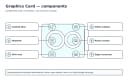
Compare exact card dimensions, connector requirements, display outputs, and power specifications against the case, display, and PSU before buying.
When to call a professional
Arrange qualified service for a burning smell, smoke, arcing, liquid inside, damaged mains connector, swollen battery, repeated protection shutdown, precision alignment, soldered port, or a fault that requires energized measurements. For valuable data on a failing drive or card, stop writing to it and consult a recovery specialist.
Prevention tips
- Keep vents, optics, contacts, and connector openings clean using the maker's approved method.
- Avoid cable strain, impact, moisture, extreme temperatures, and unsupported chargers or adapters.
- Maintain backups before faults occur and record stable settings before updates.
- Inspect lithium batteries regularly; retire damaged or swollen packs without charging or reuse.
Related help
- Back to Graphics Card Guide
- GPU Not Detected? Safe Checks That Find the Cause
- GPU Overheating: Temperatures, Airflow, and Fixes
- Electronics safety basics
Official resources
Summary
Begin with the most likely external cause, verify the complete power or signal path, and test one known-good compatible item at a time. Model-specific documentation outranks generic reset advice. Stop before a low-risk check becomes internal powered work, battery damage, precision mechanical damage, or data loss.
Observations that narrow down how to choose a graphics card that fits
| What you observe | What it may indicate | Safe next step |
|---|---|---|
| Card exceeds case clearance | Physical fit must be checked before buying | Compare official card dimensions against the case specification. |
| PSU lacks required connectors | Available power connections may not match | Check the card and PSU manuals; do not improvise adapter wiring. |
| Software requires a specific feature | Compatibility matters more than model name | Verify the application’s published GPU requirements. |
Key takeaway: Card exceeds case clearance: what it may indicate — Physical fit must be checked before buying.
Key takeaway: For how to choose a graphics card that fits, compare the observation with one safe, reversible check before assuming a part has failed.